Your WhatsApp, in the full picture.
Connect AiSensy with Adverti Chat and see your WhatsApp campaigns in one view, right beside Meta, Google, Amazon Ads, and your store. Read-only, brand-authorized, live in minutes.

Campaign data flows into Adverti · read-only
WhatsApp, measured like every other channel
AiSensy runs your WhatsApp. Adverti brings that activity into the same view as the rest of your marketing, so it stops living on its own island.
Track WhatsApp performance
See your WhatsApp campaign spend, delivery, reads, replies, and clicks in one place, without switching between tools.
Compare every channel
Put WhatsApp next to Meta, Google, Amazon Ads, and your store, and see how it holds up against everything else you run.
See the revenue you keep
Bring WhatsApp into the same view as your order and delivery data, so conversation-led revenue is read against what survives returns, cancellations, and RTO.
Find what's working
Spot the campaigns driving real results and the spend that quietly does not pay off, so your WhatsApp budget follows what converts.
Ask the AI analyst
Ask plain-language questions about your WhatsApp campaigns and get answers grounded in your own live data.
Get actionable insights
Go beyond campaign numbers to clear takeaways and suggested next steps, with every figure labelled by confidence.
WhatsApp joins one engine
Your AiSensy activity feeds the same engine that joins your ads, store, and delivery data. Connectors are not the product. The engine that reconciles them is.


Adverti engine
Joins WhatsApp activity with your order and delivery data using documented keys and India-specific COD and RTO handling. Not an AI guess.
How to connect AiSensy with Adverti
You will need your AiSensy Project API key and Project ID. The whole thing takes a few minutes.
Go to the Brands page
Log in to your Adverti account and go to Brands — the Brands section after logging in.
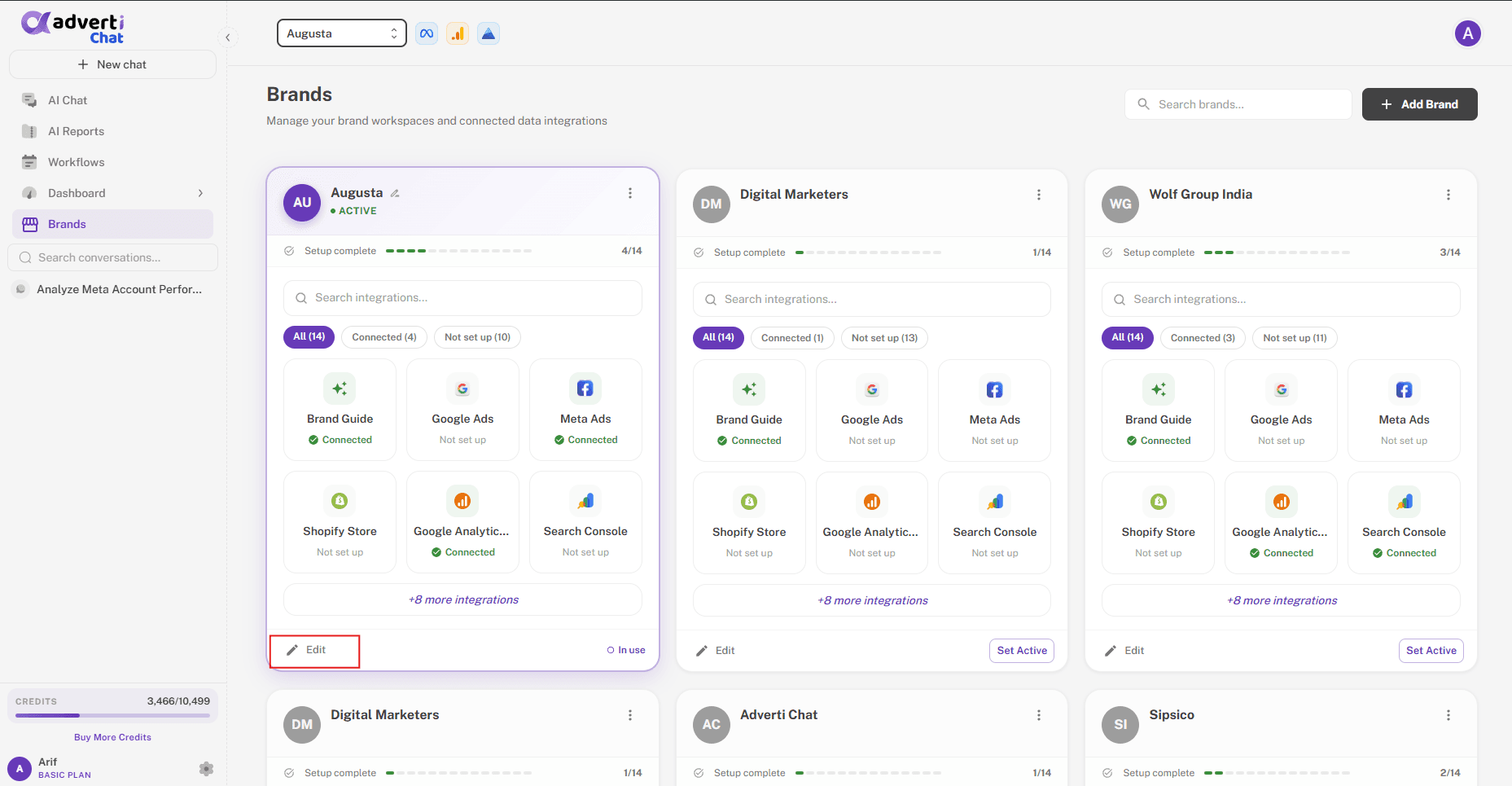
Open the AiSensy card
Open the brand you want to connect and go to its Integrations. You can do this through Edit, or while continuing the brand setup. Scroll to the AiSensy card under Supercharge Your Insights and click Connect.
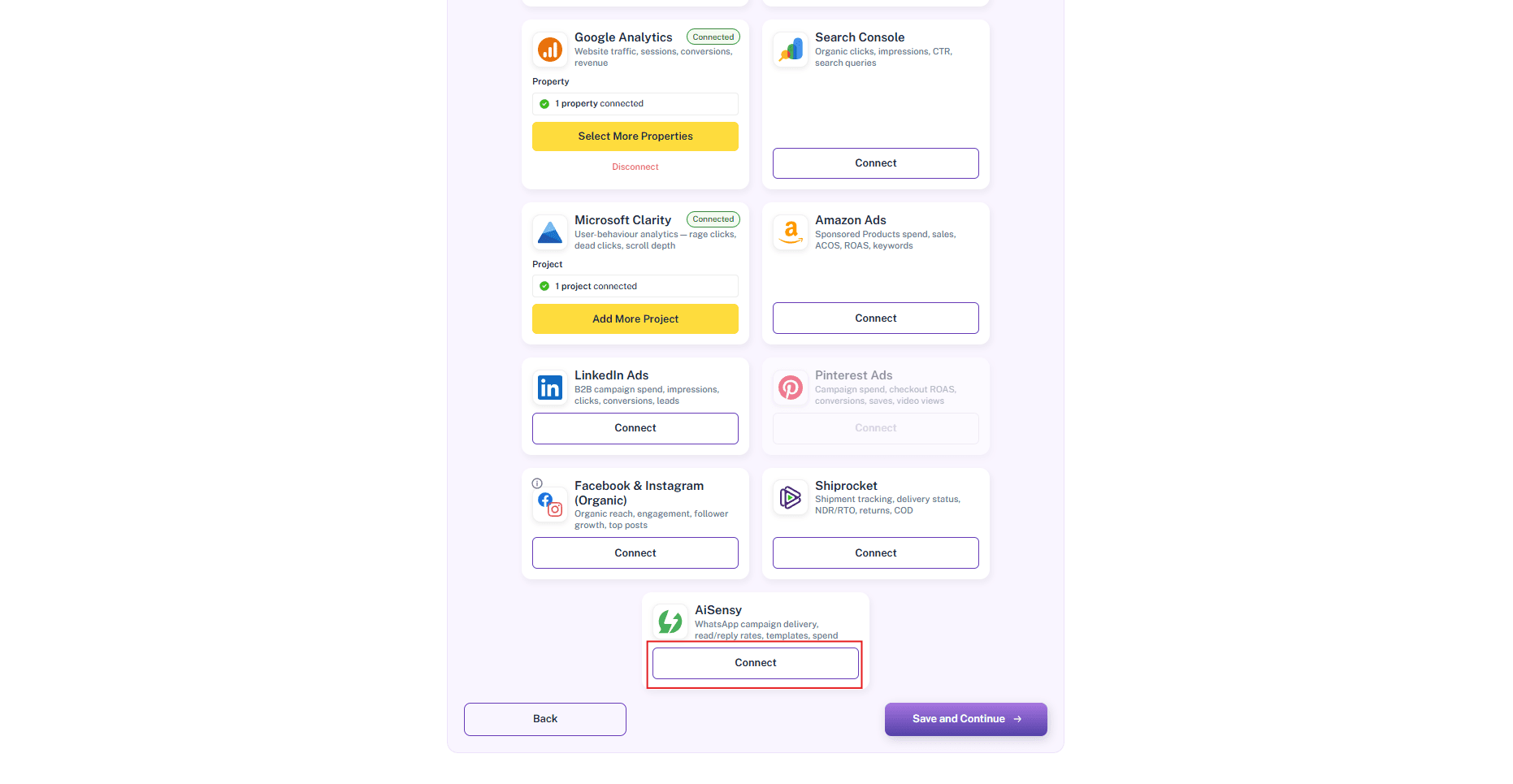
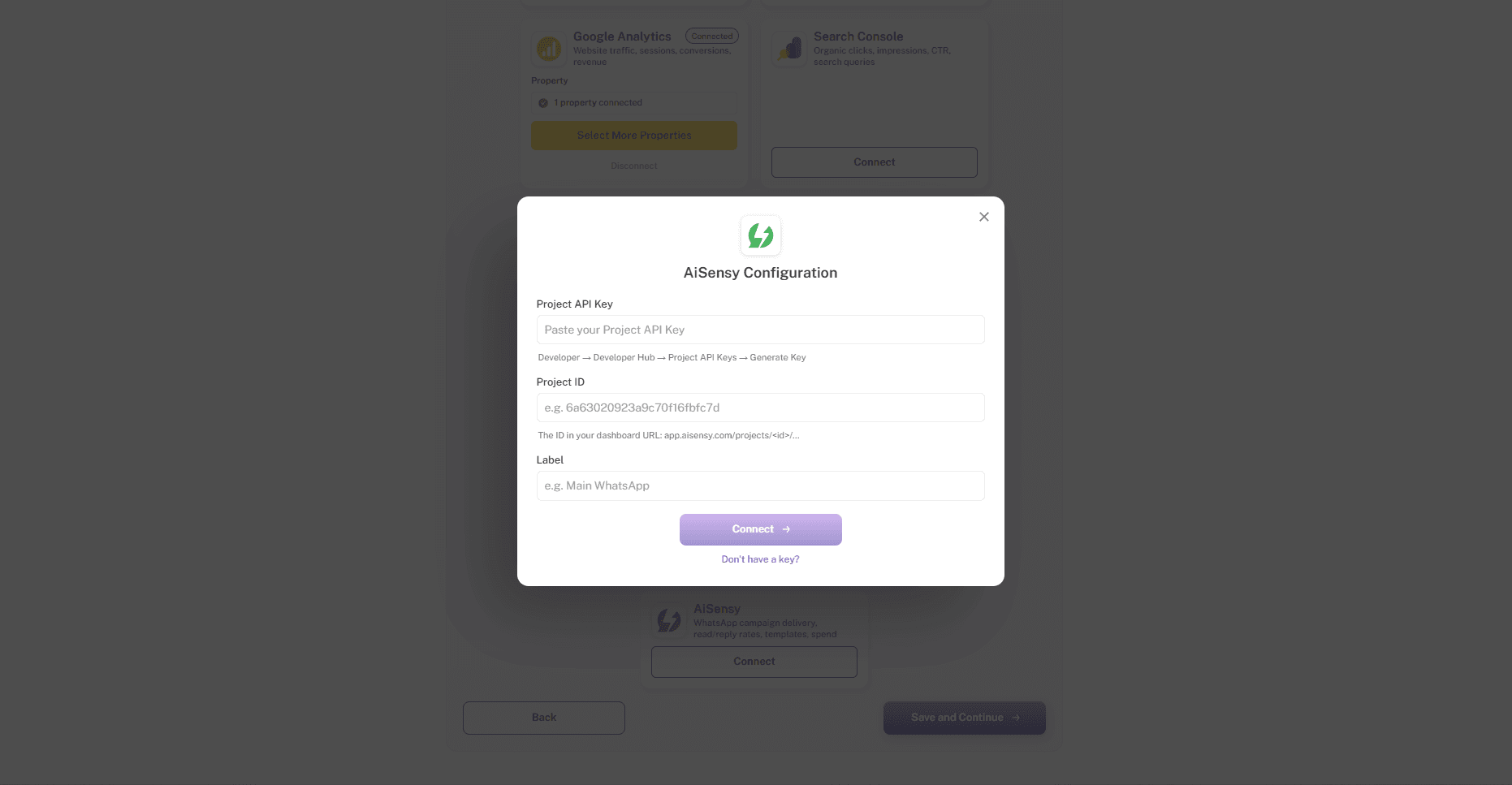
The AiSensy Configuration pop-up
Clicking Connect opens the AiSensy Configuration pop-up. You will need two things from AiSensy before filling it in: a Project API Key and a Project ID.
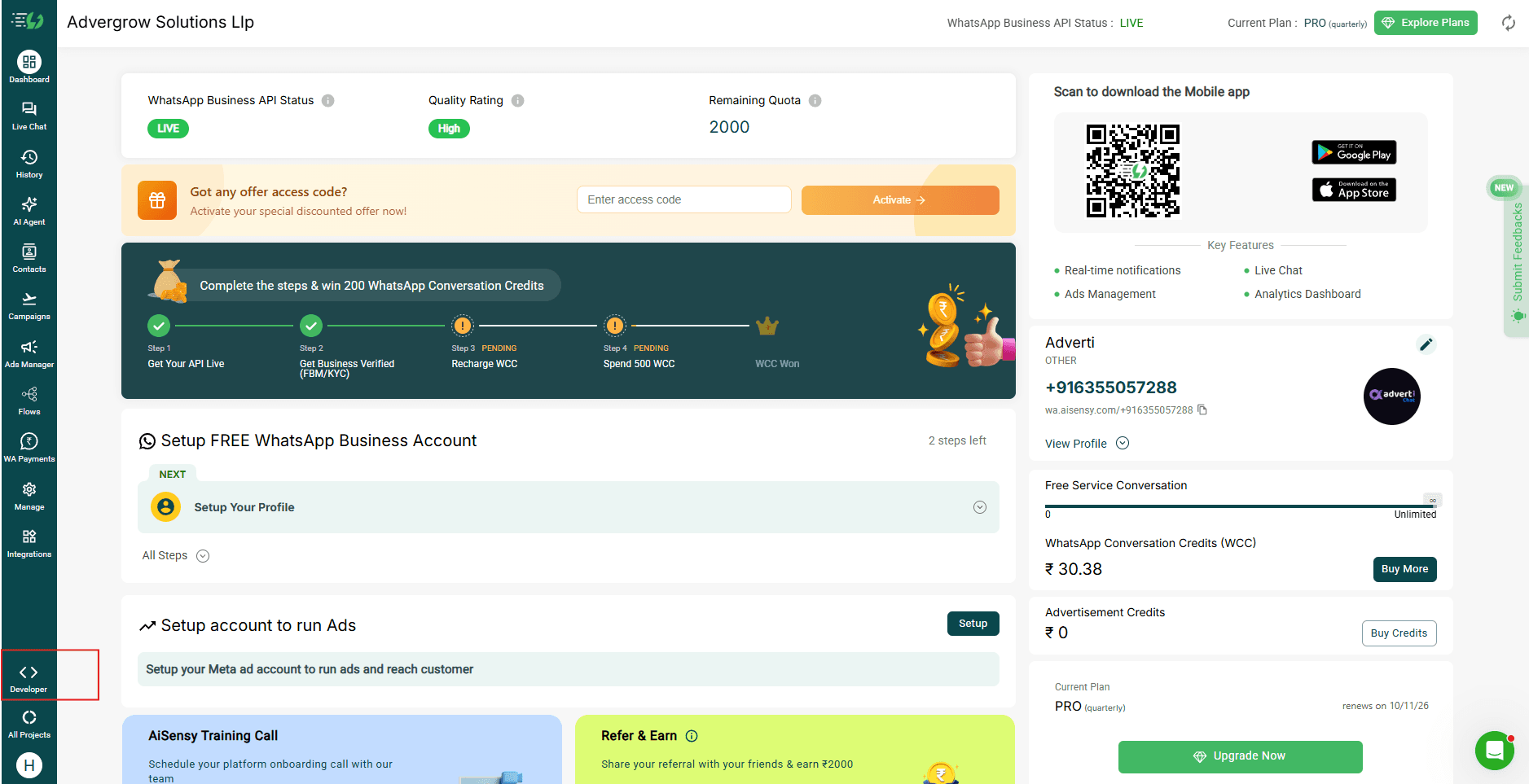
Go to Developer Hub in AiSensy
Log in to your AiSensy account and go to Developer, then Developer Hub, then Project API Keys.
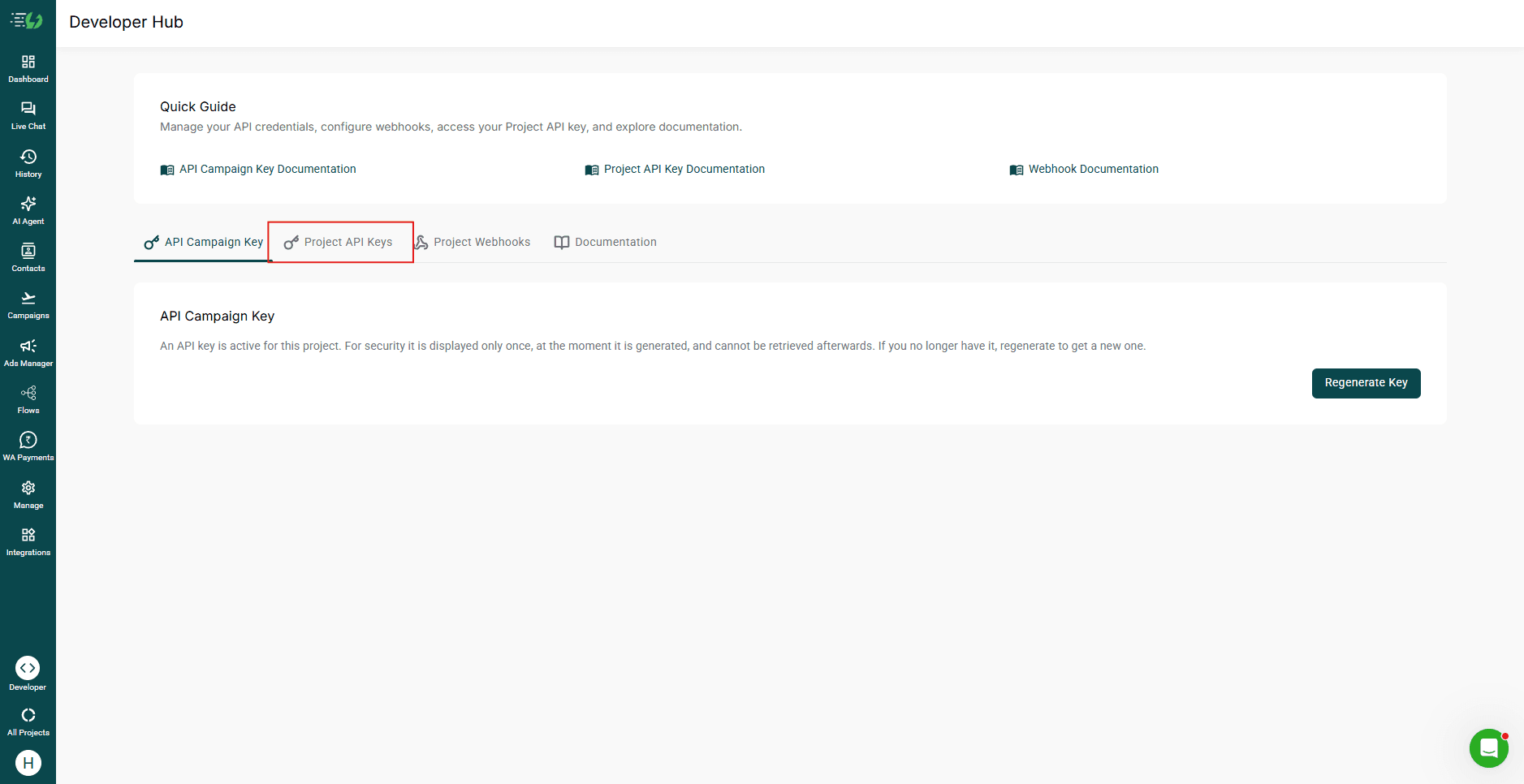
Click '+ Create Key'
Click + Create Key to create a new Project API Key.
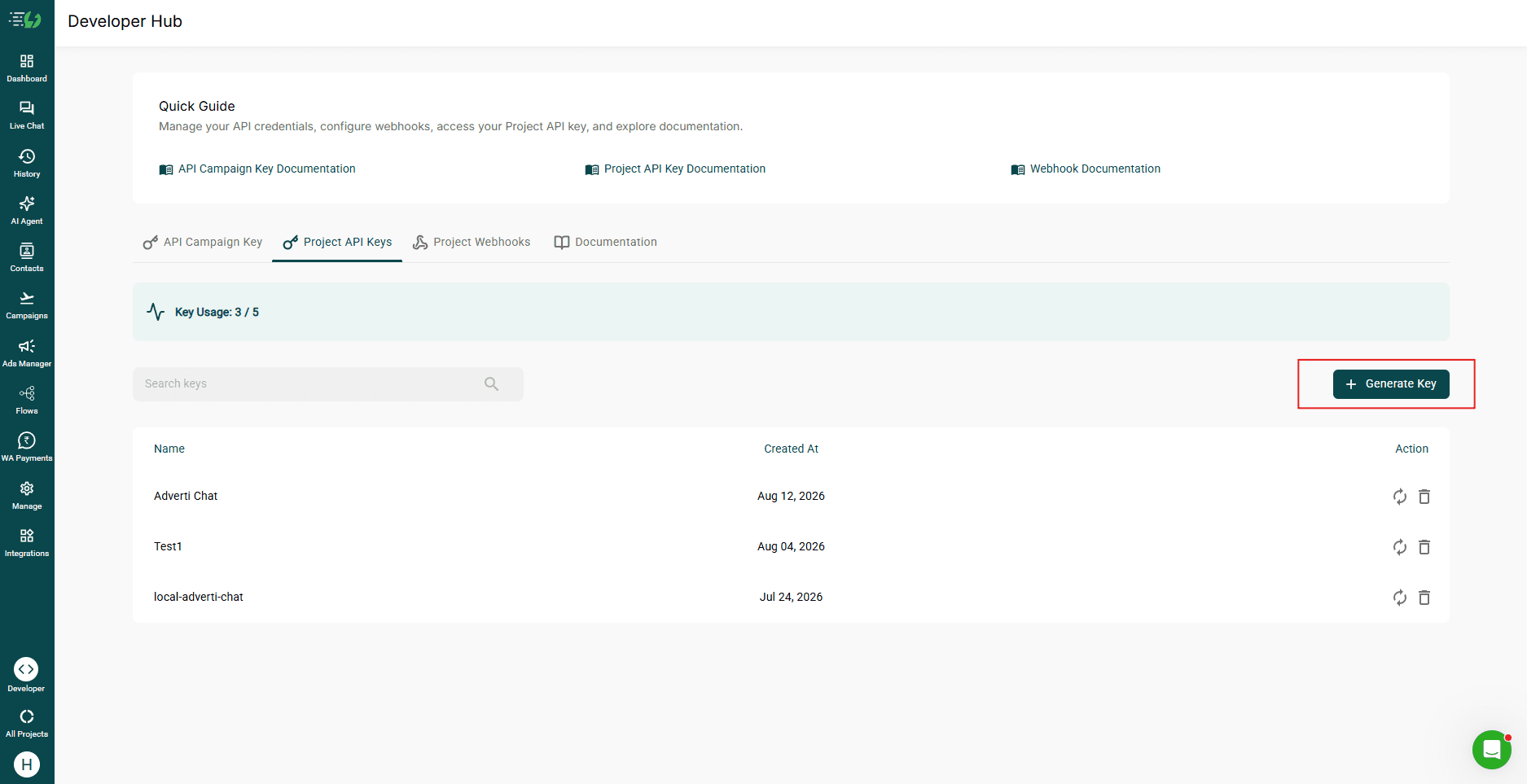
Name the key and create it
Give your API key a descriptive name, for example adverti-integration. After adding the name, click Create Key.
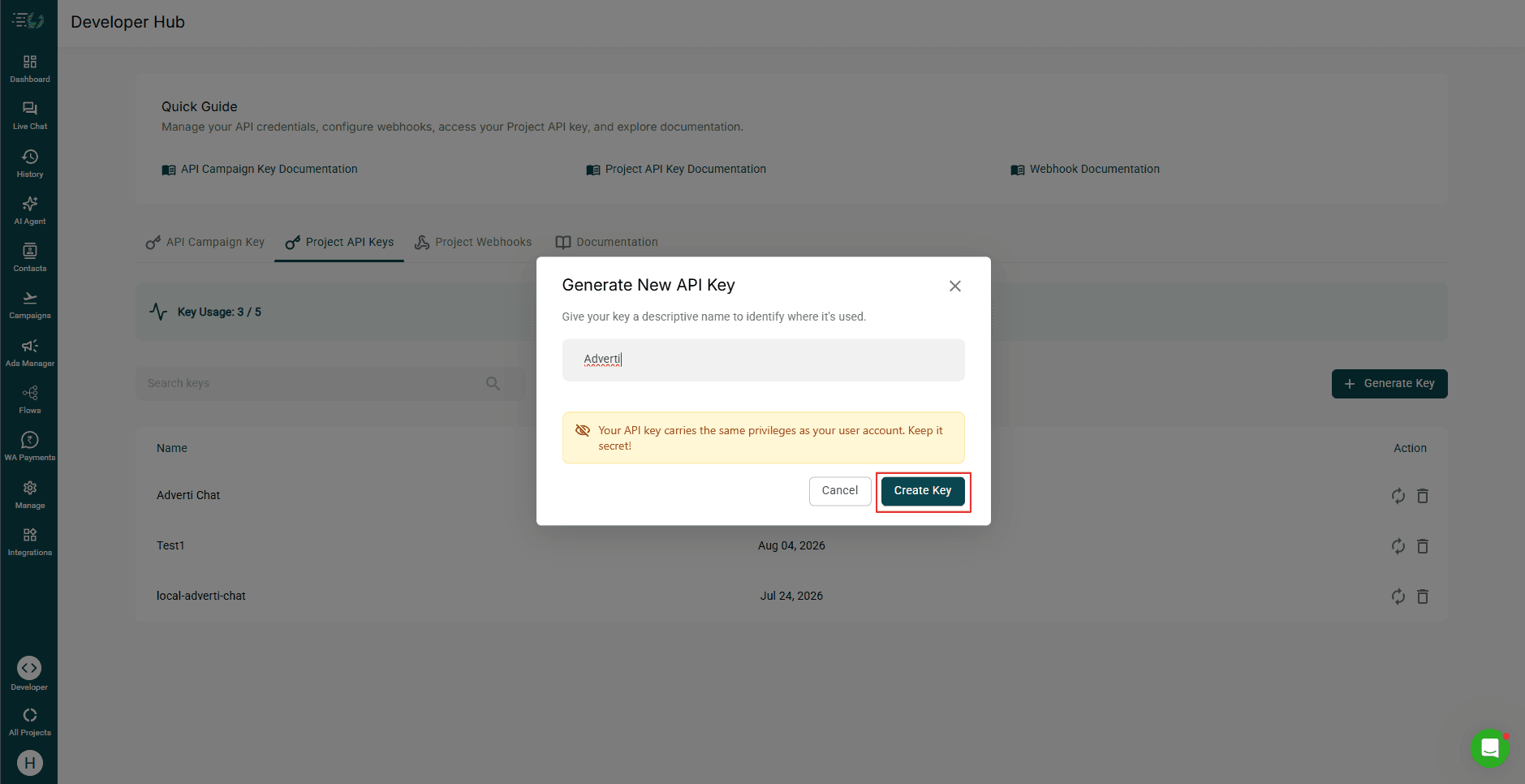
Copy your Project API Key
Your API key is shown right after you create it.
Note: Copy the key before closing the window. It is shown only once.
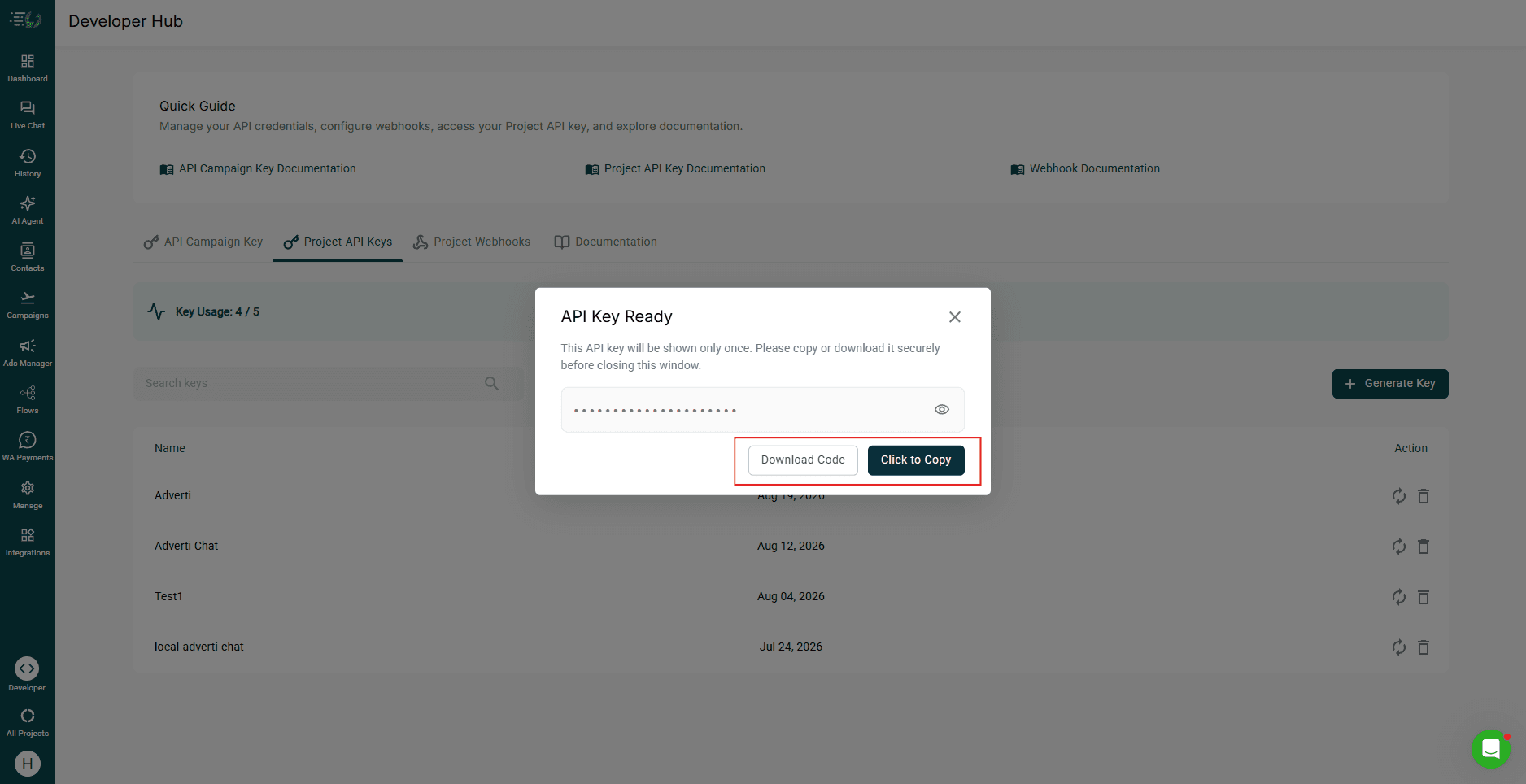
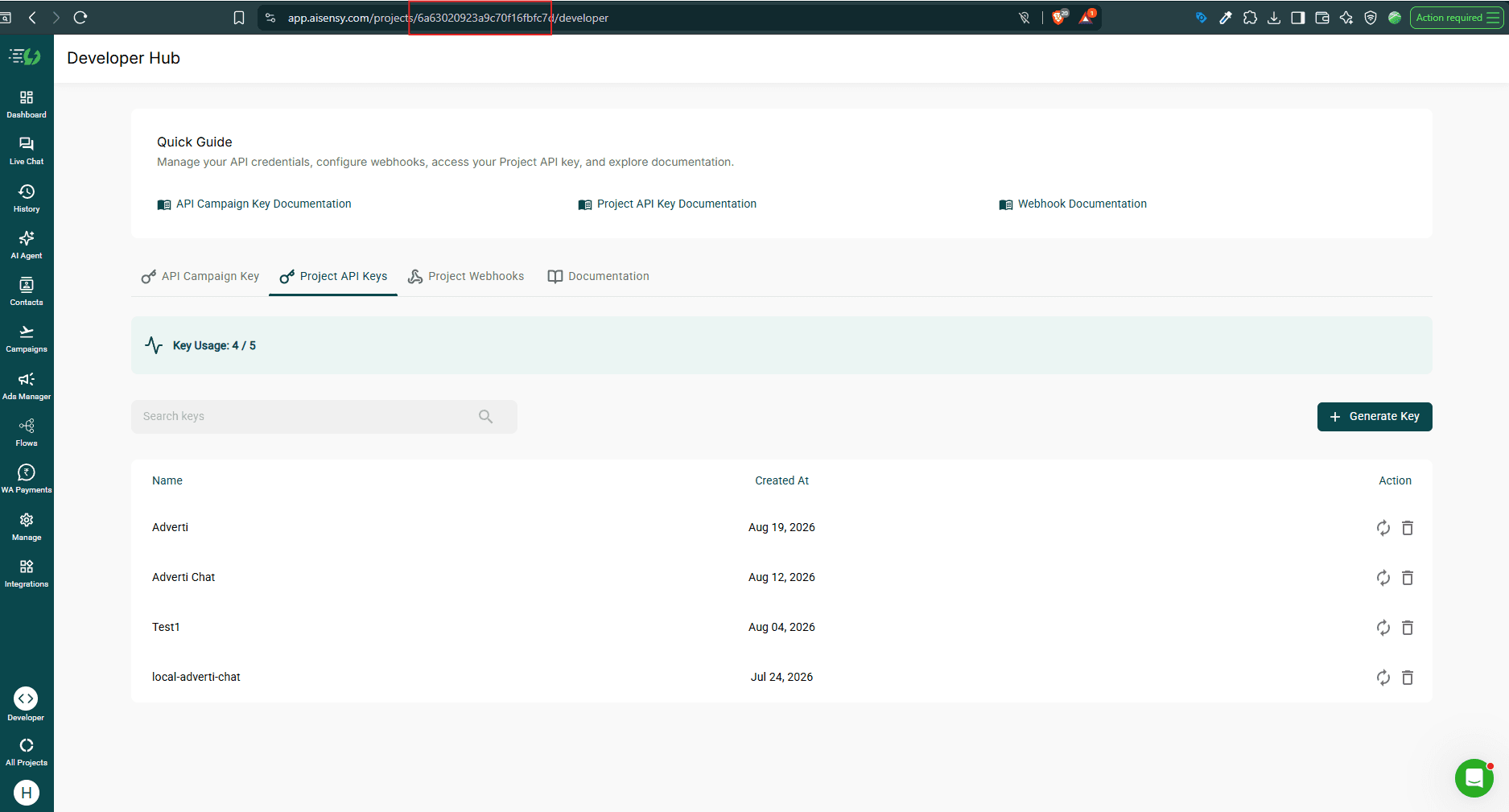
Note down your Project ID
You will also need your Project ID. Find it in your AiSensy dashboard URL: app.aisensy.com/projects/<id>/dashboard. Copy the id from the URL.
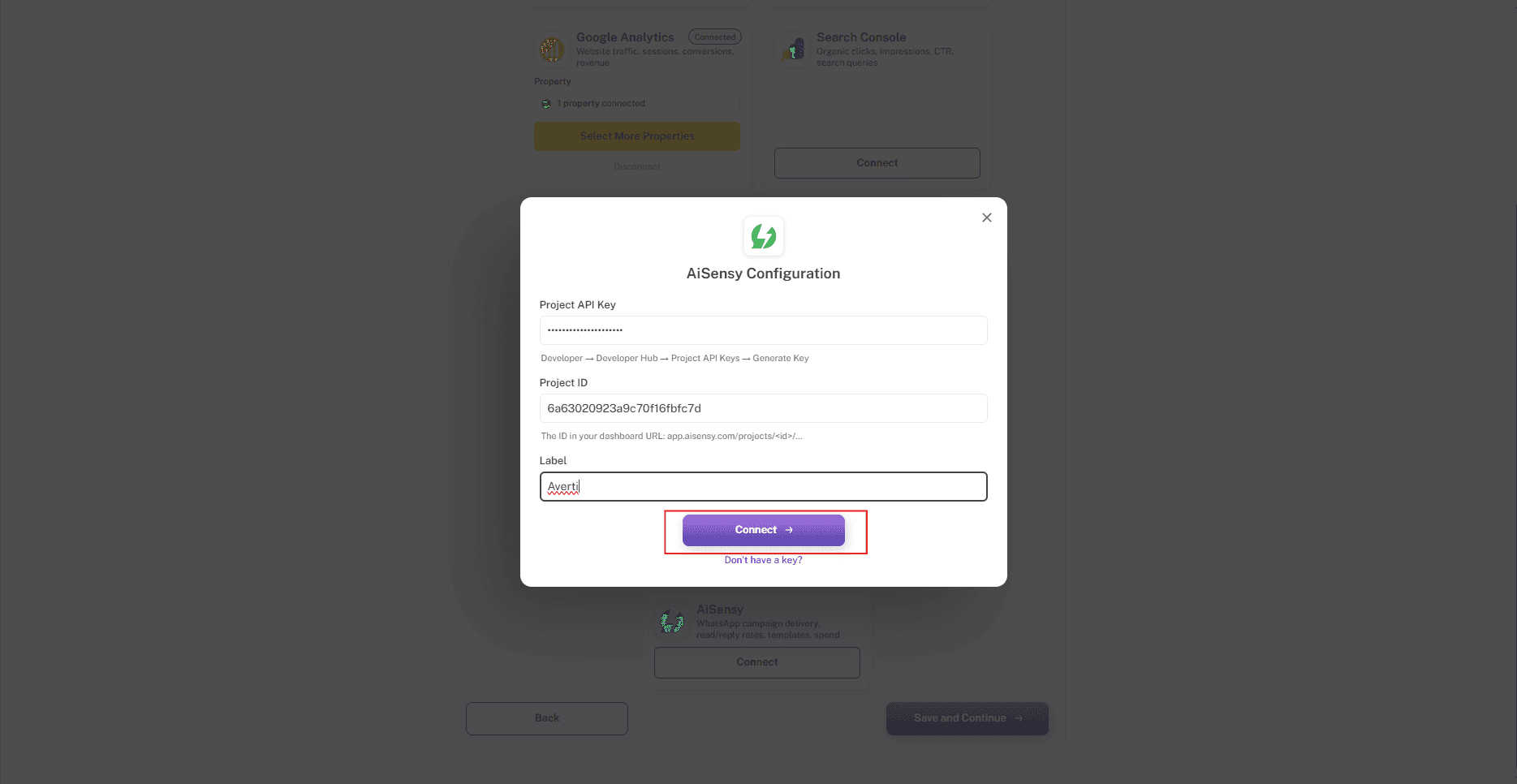
Enter your AiSensy details
In the AiSensy Configuration pop-up, paste your Project API Key, paste your Project ID, and add a Label to identify this connection, for example your brand name.
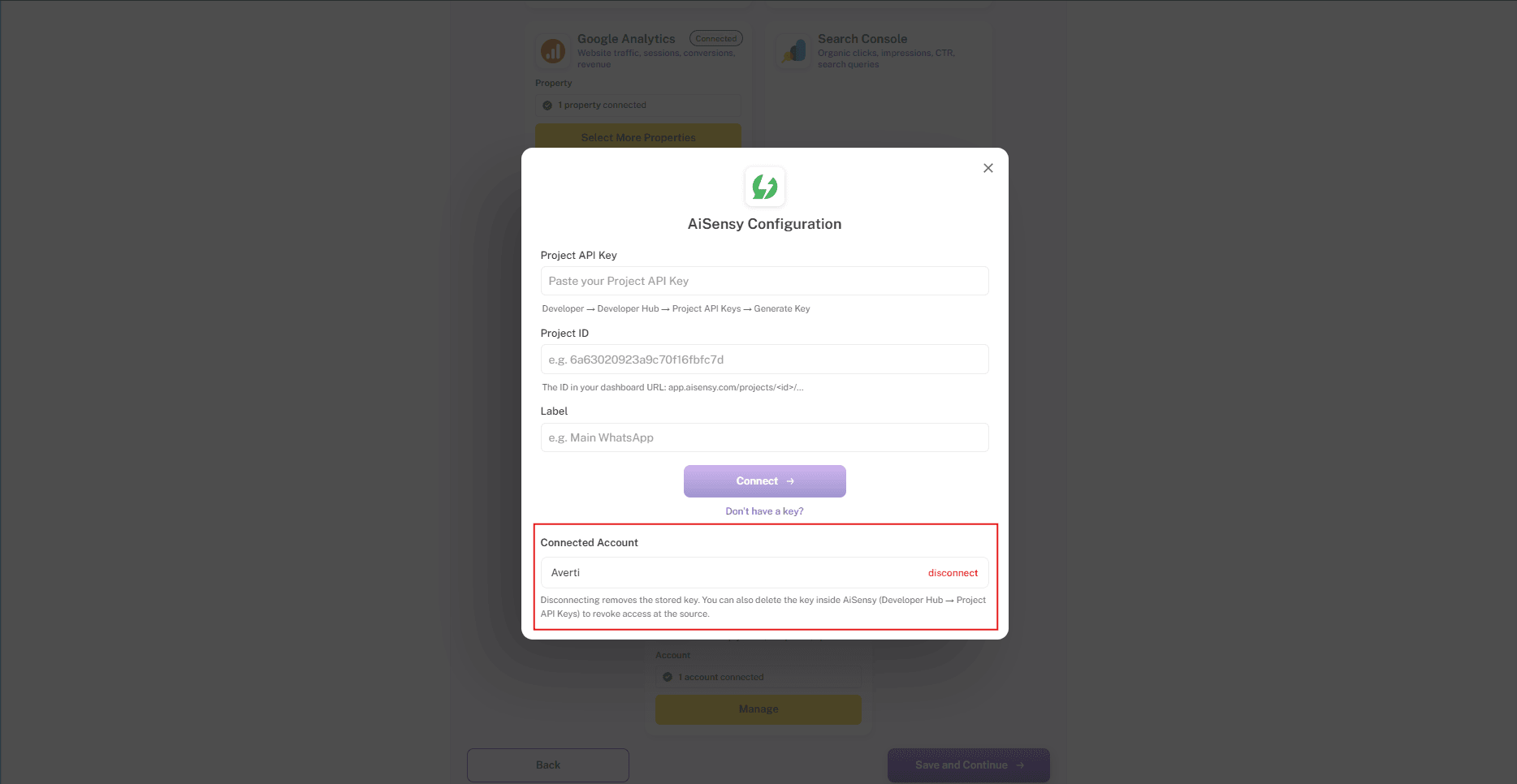
Click 'Connect'
Click Connect. Once connected, a Connected badge appears on the AiSensy card and your account shows under Connected Account.
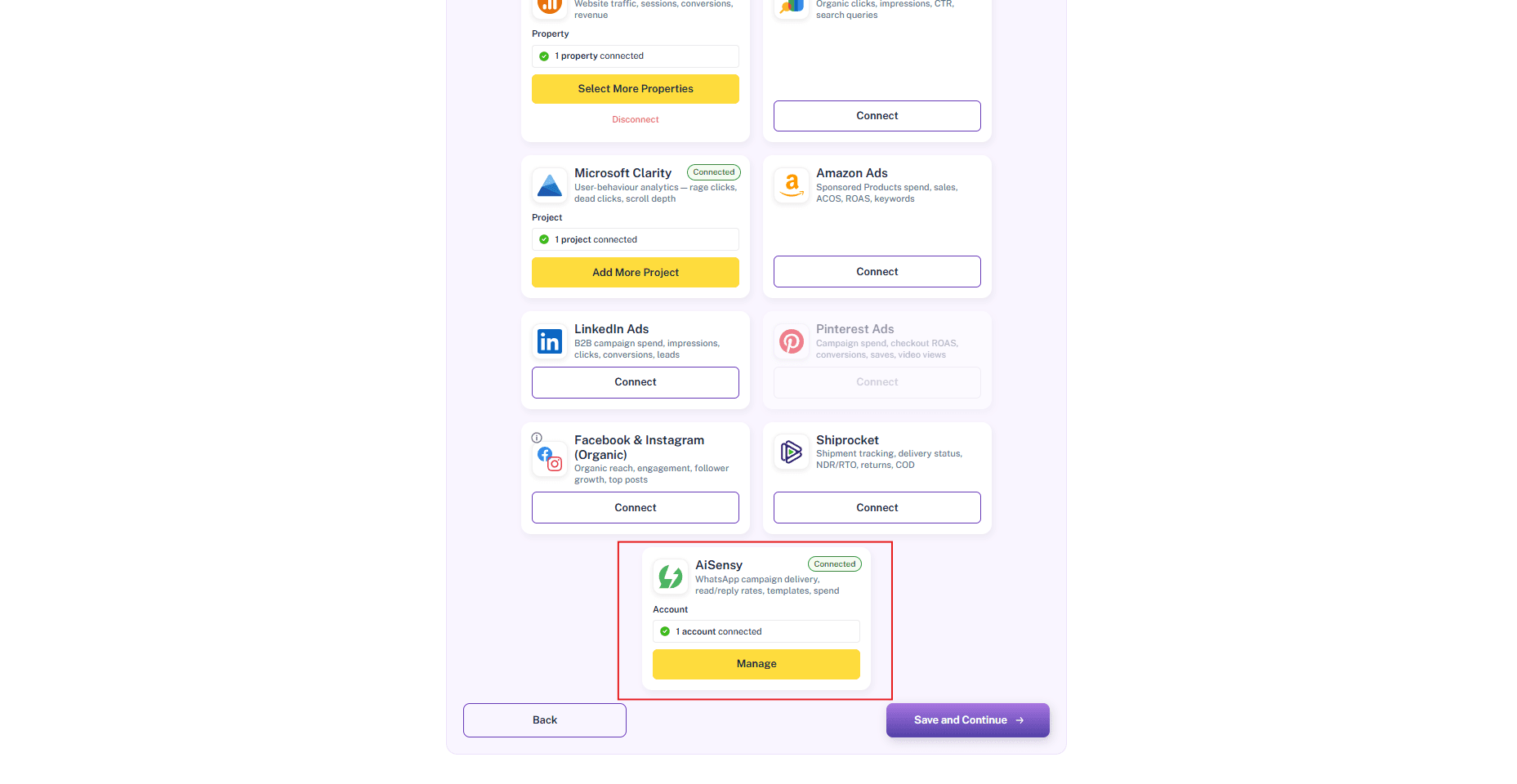
Click 'Save and Continue'
Once AiSensy shows as connected, click Save and Continue to finish the integration.
Your AiSensy data is now connected
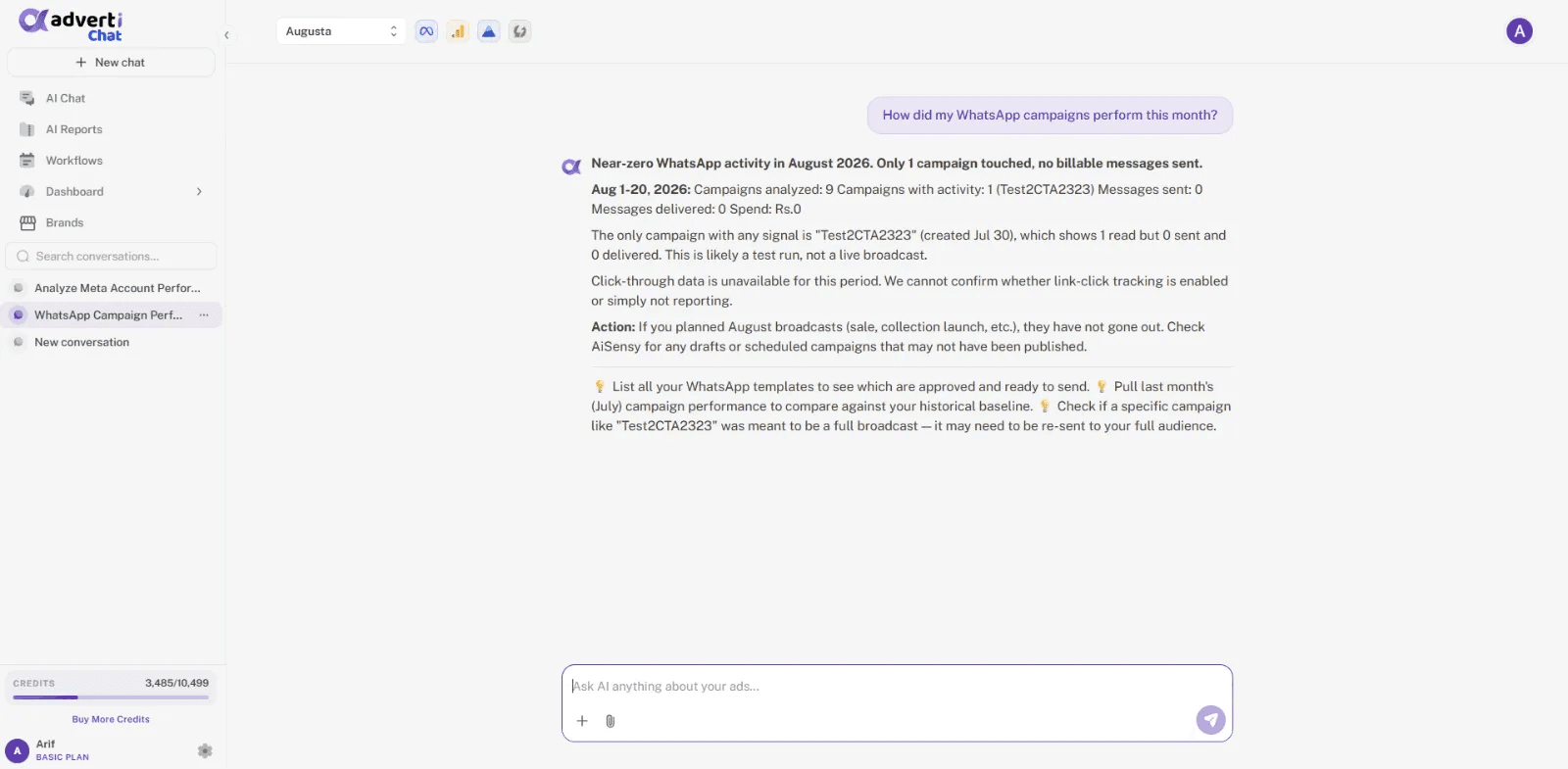
The AiSensy icon appears in Adverti's top navigation and your WhatsApp campaign data starts flowing in. You can now analyse WhatsApp alongside your other channels.
Ask the AI analyst about WhatsApp
Ask Adverti's AI Analyst questions about your WhatsApp campaign performance directly from AI Chat. That's it, you are set up.
Questions, answered
Is the connection read-only?
Yes. Adverti reads campaign and engagement data through the AiSensy Project API key you authorise. It never sends messages, runs campaigns, or changes anything inside AiSensy.
What data does Adverti pull from AiSensy?
Campaign-level performance and engagement, such as spend, delivery, reads, replies, and clicks, joined with the order and delivery data you already connect to Adverti.
Do you read our customers' chat messages?
No. Adverti does not ingest message content or chat transcripts. It only uses what is needed to line campaigns up against orders in your view.
How long does setup take?
A few minutes. You need your AiSensy Project API key and Project ID, then you paste both into the AiSensy card in Adverti.
Can I disconnect anytime?
Yes. The connection is authorised per brand and can be removed whenever you choose, straight from the brand's Integrations screen.
Bring WhatsApp into the picture.
Connect AiSensy and see your WhatsApp campaigns beside every other channel you run. No credit card to start.